vlx
The Varlink explorer for your terminal
Every Varlink API on your machine, one keystroke away.
vlx finds the Varlink sockets systemd and friends serve, shows what each one does in plain language, and calls any method with a form that already knows its schema. It is read-only until you say otherwise.
go install github.com/rossedman/vlx/cmd/vlx@latest
$vlx demo
Linux, macOS · amd64, arm64 · vlx demo runs anywhere, no systemd needed.
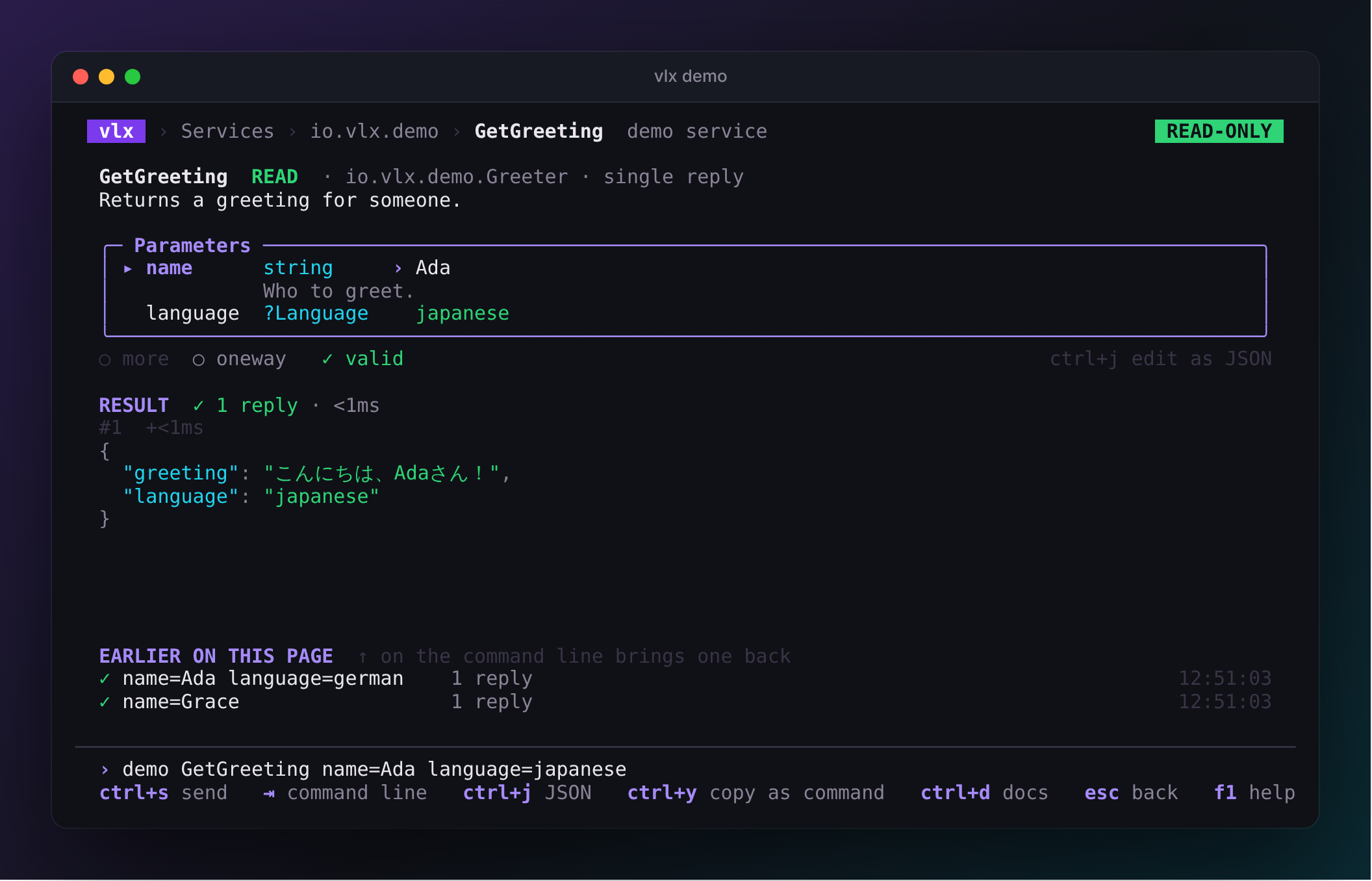
Type it, or click through it
One line names any call
Arrow through the pages, or type on the command line that sits under every page. The form and the line stay in sync, and the same line works after vlx call in a script.
resolveservice
ResolveHostnamemethod
name=example.comparameter
family=2parameter
⏎
- A few letters jump to any service, method, type or error.
- ⇥ completes. Once a method is named, its parameters are listed as you type.
- ⏎ opens the page, or sends the call if you gave parameters.
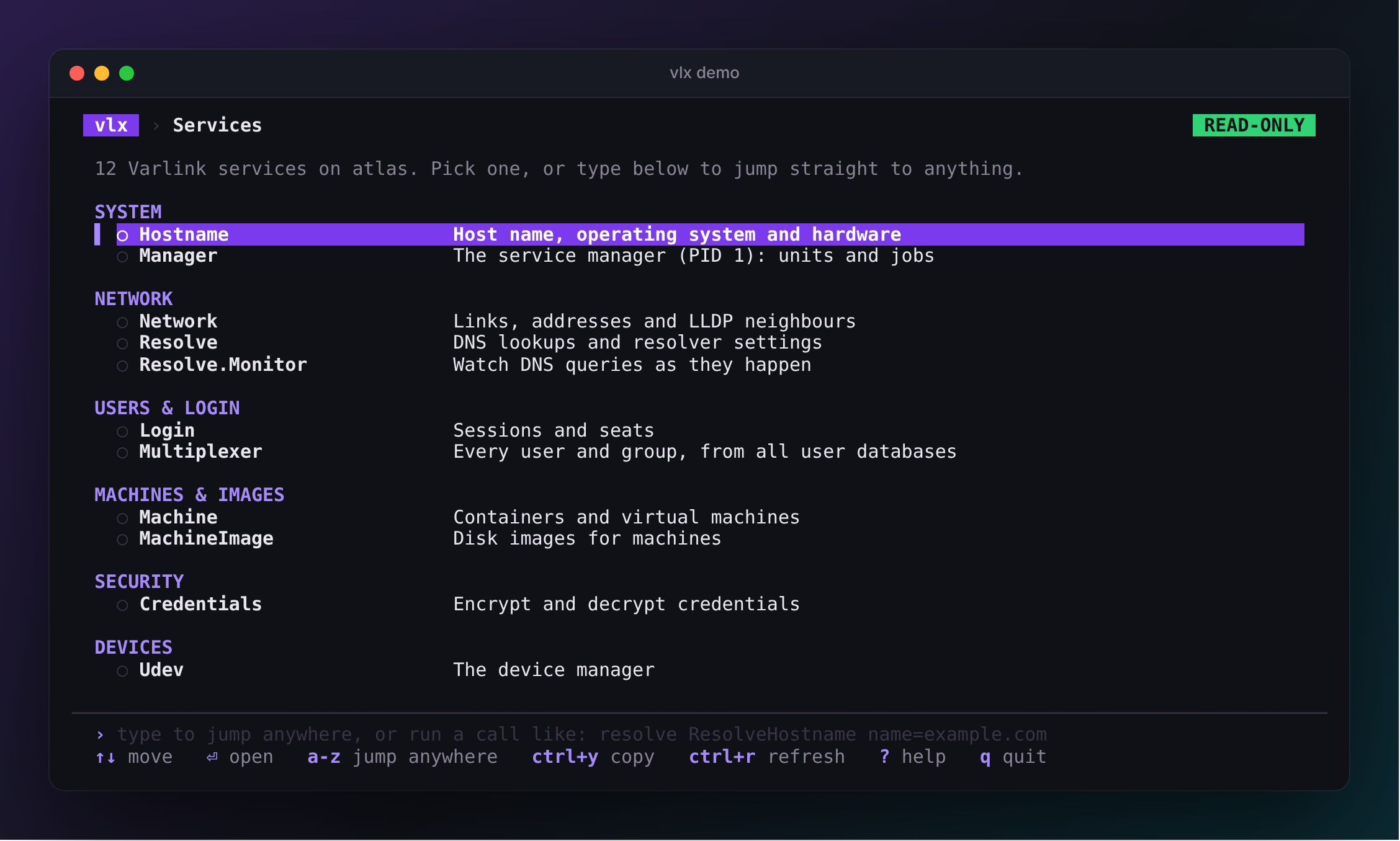
Every socket vlx finds, grouped by what it is for — System, Network, Users & login, Machines, Storage — with a sentence on what each does. Your recent calls are listed first.
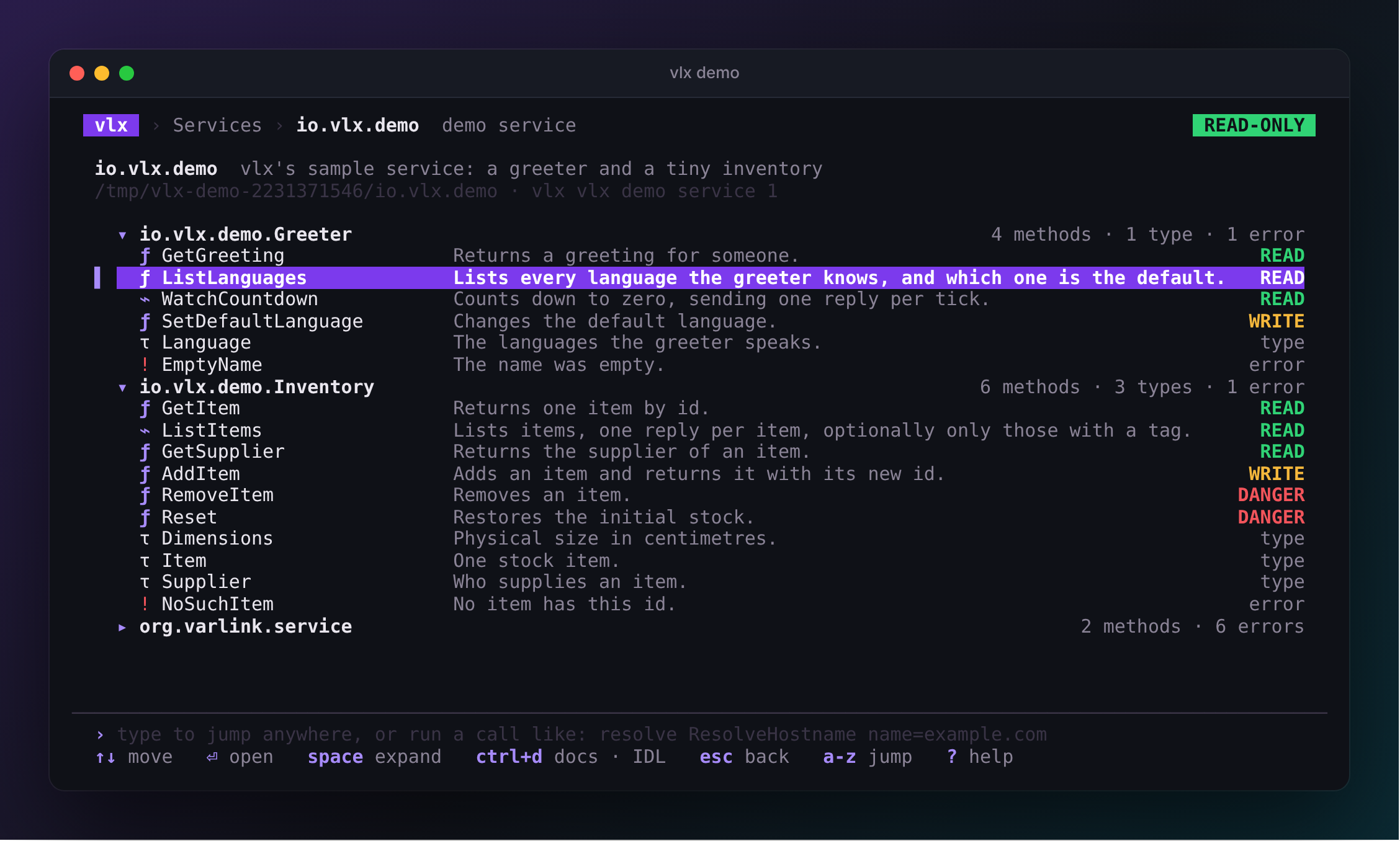
Interfaces, methods, types and errors, each with the first line of its documentation and, for methods, whether it is safe to call.
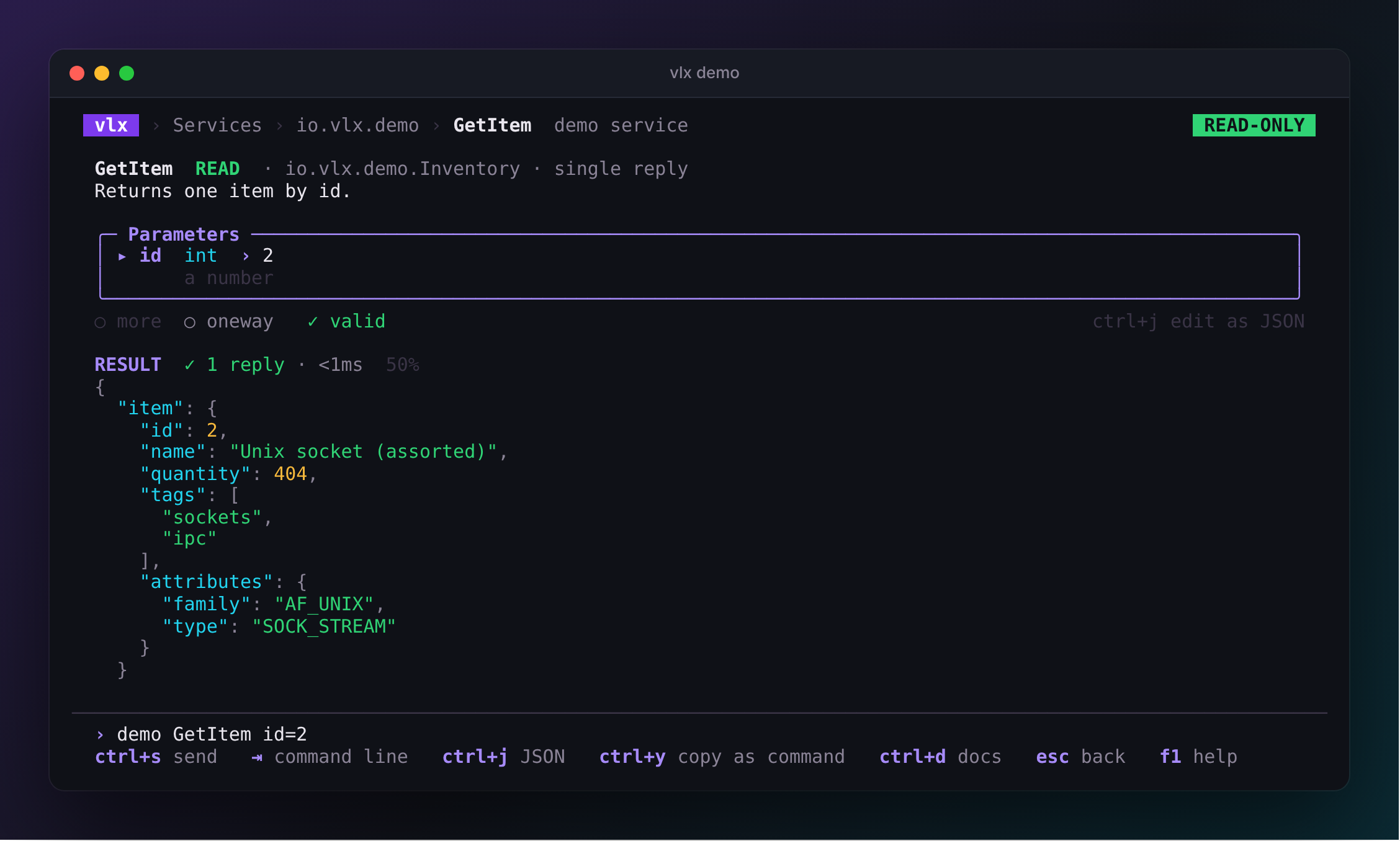
A form built from the IDL — pickers for enums, inline docs, checks as you type — and the result underneath. Streams arrive live; esc stops them.
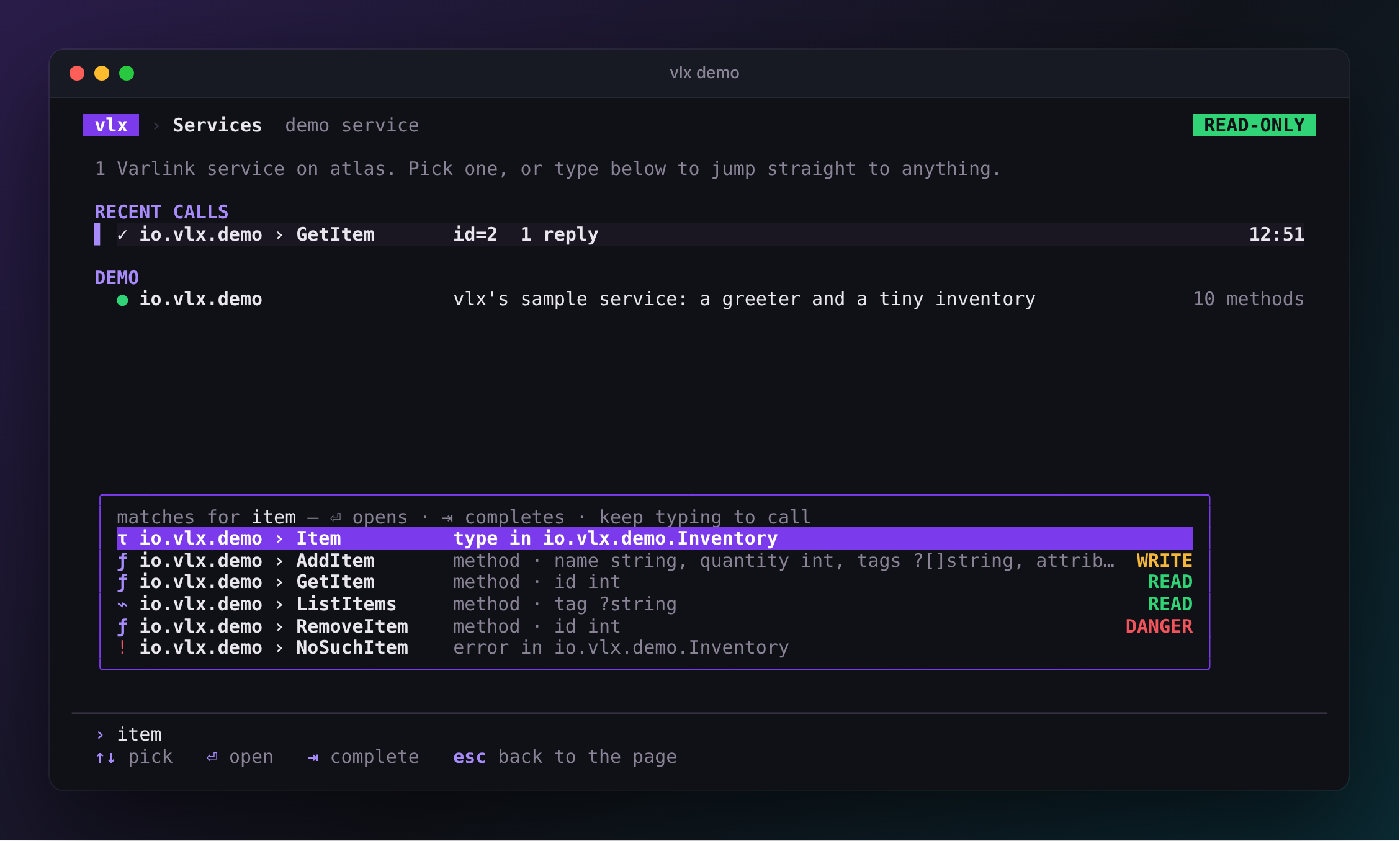
Start typing anywhere. Matches come from every service on the machine, read in the background with read-only introspection.
Finds everything
Sockets under /run/systemd, /run/varlink/registry, /run/udev and your session. No flags, no config.
Reads the docs to you
Doc comments from the IDL next to every method, parameter, type and error. Raw IDL is a keystroke away.
Knows the schema
Parameters are checked against the IDL as you type. vlx will not send a call the service would reject.
Streams live
Methods that stream show each reply as it arrives, with typed errors and their documentation when things fail.
Scripts cleanly
vlx call … -o json, NDJSON streams and stable exit codes. Every screen can copy its call as a command.
Teaches varlinkctl
Every call shows the equivalent varlinkctl command, so what you learn in vlx carries over.
Safe by default
Browse as root without breaking anything
Every method is classified before it is sent. vlx starts read-only, so you can open any service and prepare any call while only reads go out.
Always allowed. No side effects: Describe, List…, Resolve….
Needs --allow-writes and a y for each call. Unknown methods land here.
Needs --allow-writes and the method's name typed back: Reboot, Remove….
Script it
The line you type is the command you run
Whatever you call in the explorer, ctrl+y copies as a command. Pipe the JSON into jq, or let the exit code drive your script.
How it works
A safety gate in front of a pure-Go Varlink client
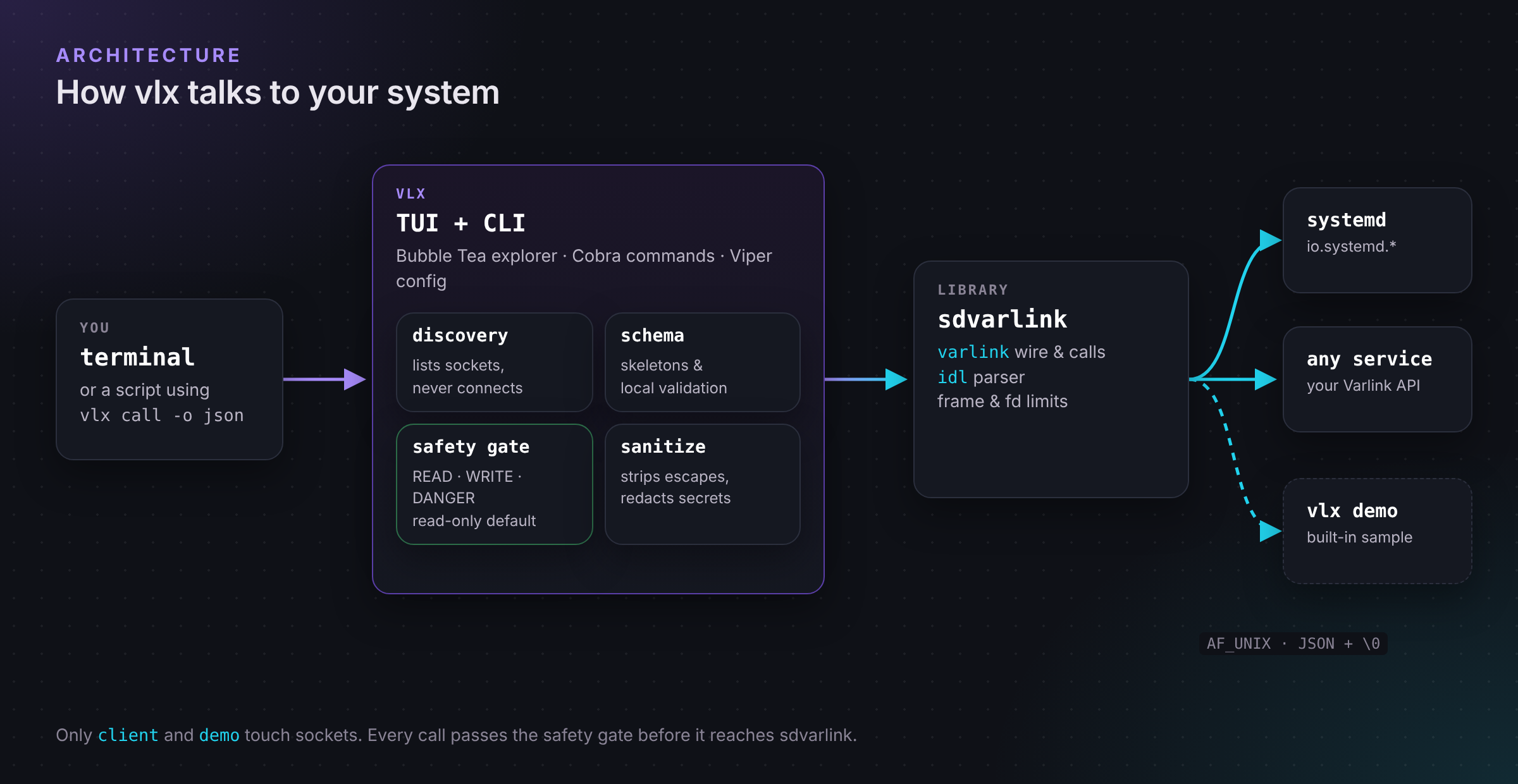
vlx is built on sdvarlink, a pure-Go Varlink library with an IDL parser, and on Charm's Bubble Tea, Bubbles and Lip Gloss, with Cobra and Viper for the command line.
Two minutes to your first call
The QuickStart runs against the built-in demo service, so it works on any machine.