QuickStart
1 Install
Grab the archive for your platform from the latest release, then:
Check it works:
More options, including shell completion, are on the Installation page.
2 Open the demo
The demo service runs anywhere, so start there:
vlx starts a small sample service and opens the explorer on it. The explorer shows one page at a time, with a command line along the bottom.
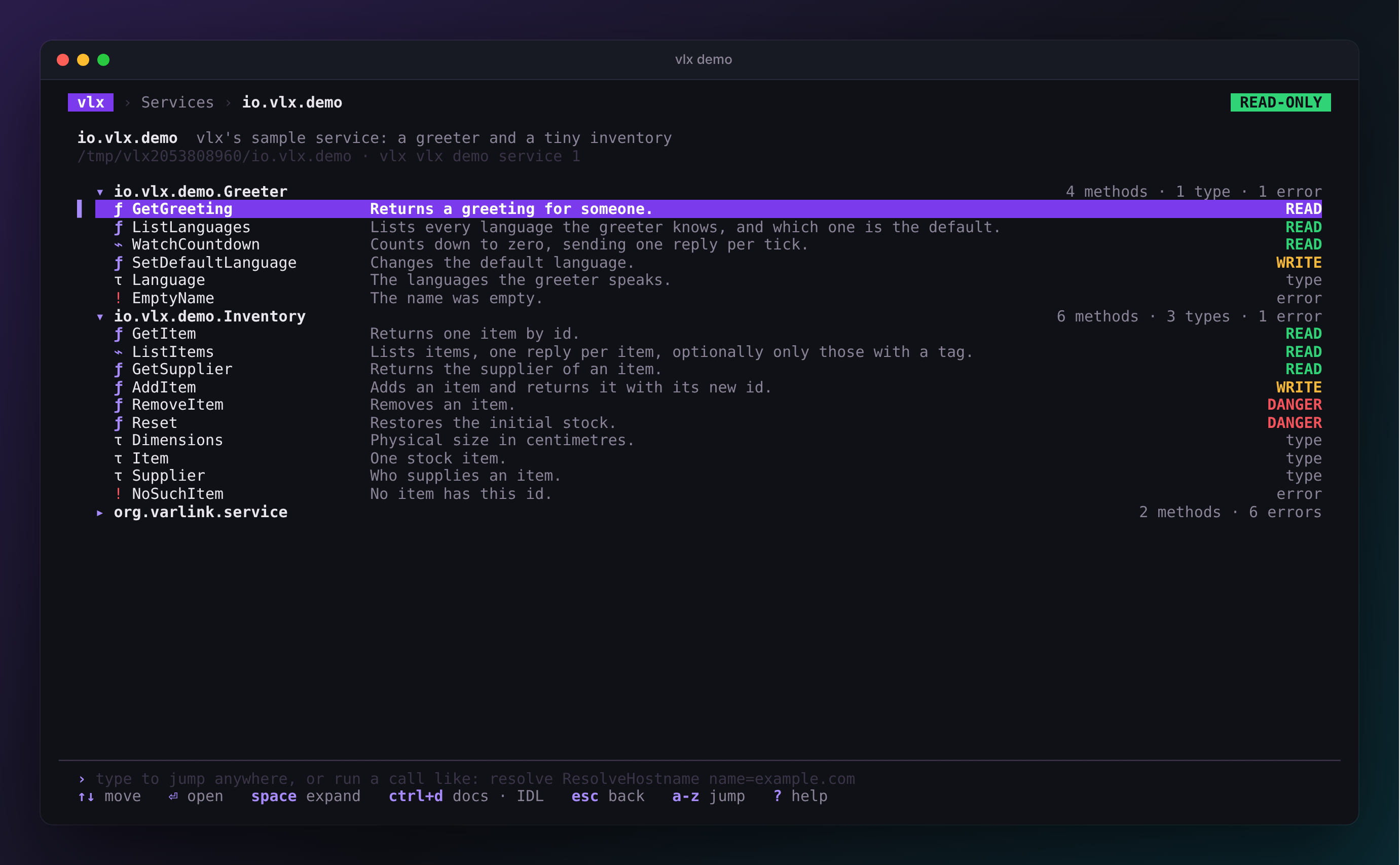
Move with Up / Down, open things with Enter, and go back up with Esc. Each method shows its safety class and the first line of its documentation.
Lost? Press ?
The bottom line always shows the keys that work right now, and ? shows them all.
3 Call a method
- Select GetGreeting and press Enter.
- Type a name, press Down, and pick a language with Left / Right. The command line at the bottom spells out the same call.
- Press Ctrl+S to send.
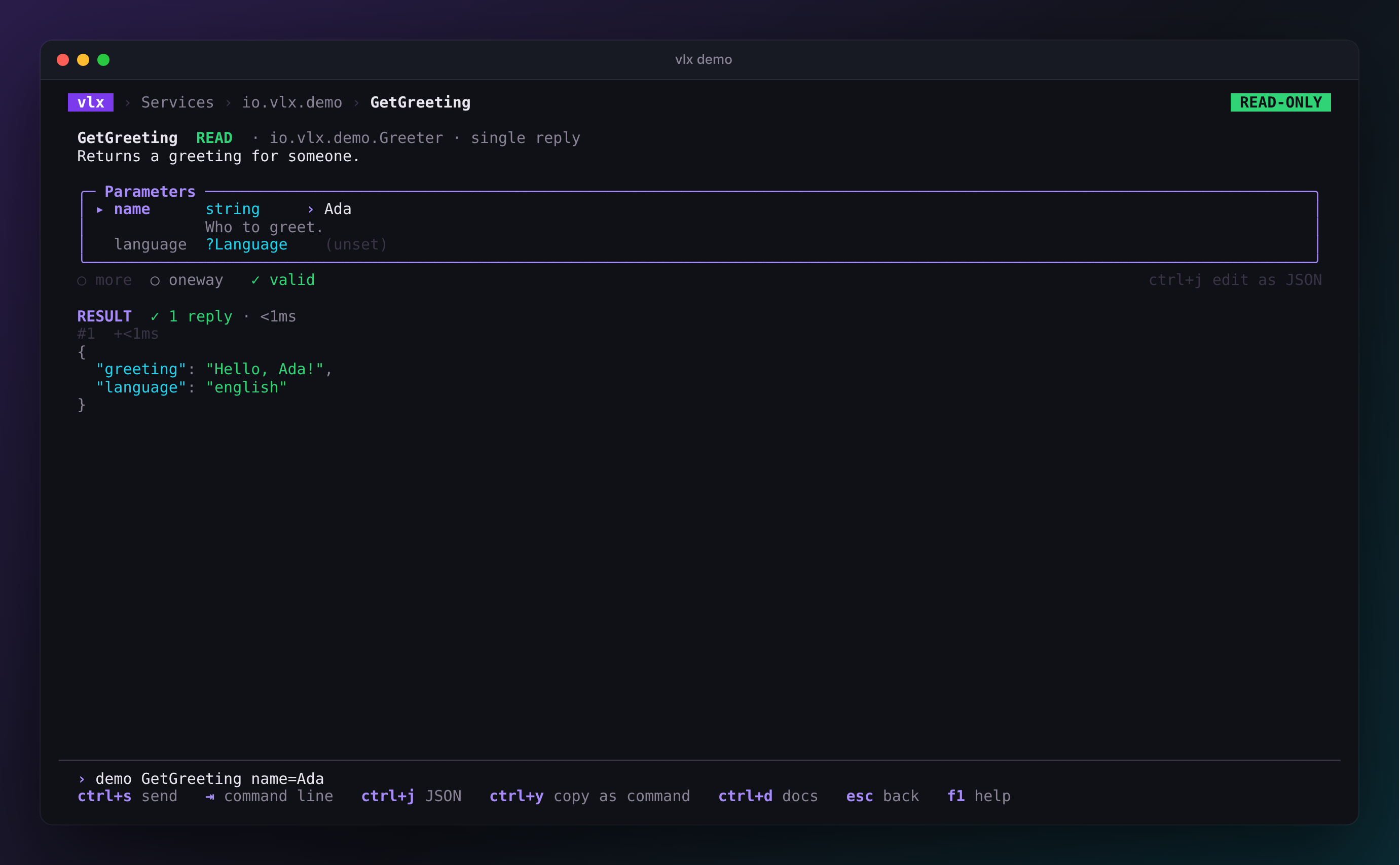
Or skip the clicking: type the whole call and press Enter.
Try a few more:
| Type this | What it shows |
|---|---|
demo WatchCountdown from=5 |
a stream: one reply per tick, live. Esc stops it. |
demo GetItem id=42 |
a typed error, with its documentation from the IDL |
demo GetSupplier id=1 |
a secret field shown as «redacted» (Shift+R reveals it) |
demo SetDefaultLanguage language=german |
a WRITE method, which vlx refuses to send in read-only mode |
Press Esc to go up a level, and Q on a list to quit.
4 Explore your system
On a Linux machine with systemd v257 or newer, just run:
The services are grouped and described in plain language; press Enter to
browse one. Looking for something specific? Just type, for example,
resolve host — or the whole call: resolve ResolveHostname name=example.com. Many system services
only talk to root, so if a service shows ⊘ or permission denied:
vlx stays read-only even as root. See Safety for how to enable writes when you mean to.
5 Script it
Everything you did in the TUI has a command — the same line you type in the
explorer works after vlx call. Press Ctrl+Y on a method page to copy
it, or write it yourself:
vlx list                                        # what is there?
vlx describe hostname                           # print the IDL
vlx call hostname io.systemd.Hostname.Describe  # call a method
vlx call resolve ResolveHostname name=example.com -o json | jq .
Next steps
- The explorer — pages, the command line and keys.
- Calling methods — parameters, streams and errors.
- Safety — what vlx will and will not send.
- systemd recipes — useful calls for real services.