Finding waste
Layers only ever add bytes. When a later layer overwrites, deletes or re-stores a file, the earlier copy stays in its layer: you pull it, store it and scan it, but no container ever sees it. That's waste.
Fix it
Start with the fixes, biggest saving first:
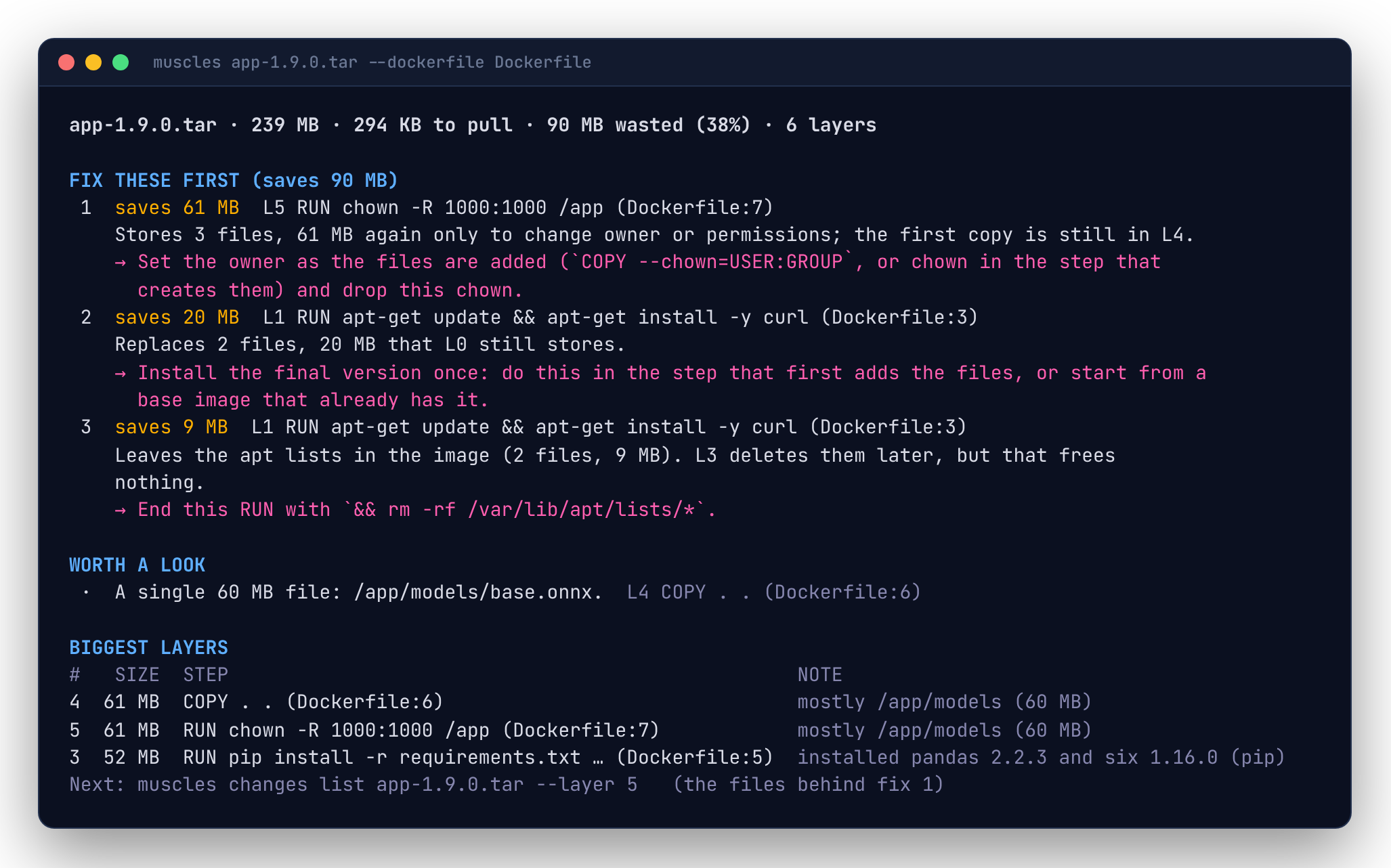
app:dev · 401 MB · 138 MB to pull · 108 MB wasted (27%) · 6 layers

FIX THESE FIRST (saves 108 MB)
 1  saves 60 MB  L5 RUN chown -R app:app /app (Dockerfile:14)
    Stores 1,204 files, 60 MB again only to change owner or permissions; the first copy is still in L4.
    → Set the owner as the files are added (`COPY --chown=USER:GROUP`, or chown in the step that creates them) and drop this chown.
 2  saves 36 MB  L1 RUN apt-get update && apt-get install -y curl git (Dockerfile:5)
    Leaves the apt lists in the image (41 files, 36 MB). L3 deletes them later, but that frees nothing.
    → End this RUN with `&& rm -rf /var/lib/apt/lists/*`.
Each fix names the layer, its step and (with --dockerfile) its line, what's wrong and what to change. Every wasted byte is counted by exactly one fix, so the savings add up to the image's waste; --limit caps how many are shown. Below the fixes are files worth a look (very large single files) and the three biggest layers.
Every wasted byte
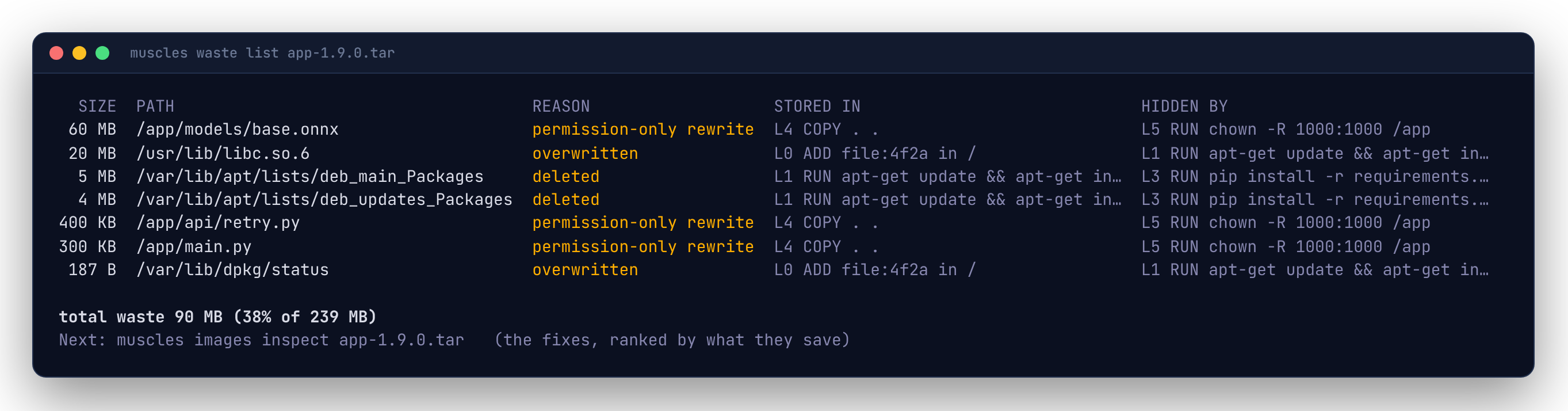
Each row names the bytes, why they're hidden, the layer that stored them and the layer that hid them. Rows roll up by directory the same way as changes list; --files lists every file.
The total at the bottom is also in layers list and in --json output as image.waste.
The three kinds, and their fixes
Overwritten
A later layer stored new contents at the same path. Common with config files, package databases (/var/lib/dpkg/status) and libraries upgraded after the base image.
Small amounts are normal. Large ones usually mean the same thing is installed twice: once in the base image and again on top. Use a base image closer to what you need, or install in one step.
Deleted
A later layer deleted the path. The bytes are still in the layer that created them.
# Wasteful: the lists are in the first layer forever.
RUN apt-get update && apt-get install -y curl
RUN rm -rf /var/lib/apt/lists/*

# Better: create and delete in the same layer.
RUN apt-get update && apt-get install -y curl \
 && rm -rf /var/lib/apt/lists/*
Multi-stage builds go further: build in one stage and COPY --from only what you need.
Permission-only rewrite
A later layer stored the same contents again to change owner or mode. chown -R and chmod -R over a big directory double its size.
# Wasteful: /app is stored twice.
COPY . /app
RUN chown -R app:app /app

# Better: set ownership as you copy.
COPY --chown=app:app . /app
Waste in CI
Fail a build when waste grows past a budget, in bytes or as a share of the image:
See Checks and budgets.